 Log in
 Designer – Barcode tool
The Barcode tool allows you to add a barcode linked to a dynamic field. You can configure colors, symbologies such as Interleaved 2 of 5, Code 39, Code 128A, UPC-A, and more.
Barcodes are commonly used in ID card systems to encode data for fast and reliable scanning. Different barcode formats serve different use cases depending on the type of data, available space, and scanner capabilities.
Understanding Barcode Formats
Barcodes fall into two main categories: 1D (Linear) and 2D (Matrix).
- 1D Barcodes use lines and spaces of varying widths to represent data. They are typically used for numeric or alphanumeric values such as IDs or serial numbers. Examples include Code 128, EAN-13, and UPC-A.
- 2D Barcodes encode data both horizontally and vertically, allowing significantly more information to be stored in a compact area. The most common 2D barcode is the QR Code.
QR Codes
QR Codes (Quick Response Codes) are widely used when more data needs to be encoded in a small space. Common use cases include:
- URLs to link to websites or online portals.
- Contact information such as vCards.
- Event access and ticket validation.
- System identifiers for access control or automation.
Choosing the Right Barcode
Selecting the appropriate barcode type depends on your project requirements:
- Data type – Use 1D barcodes for simple values and QR Codes for structured or longer data.
- Available space – QR Codes are better suited for limited space.
- Scanner compatibility – Ensure your scanners support the selected barcode format.
Best Practices
For reliable scanning, follow these recommendations:
- Leave sufficient margin around the barcode to act as a quiet zone.
- Use high-contrast colors, such as black on white.
- Test barcodes with your scanners before production.
- Size the barcode appropriately for the expected scanning distance.
Barcode Integration
Barcodes, including QR Codes, can be added directly to your designs in Designer. This allows you to encode essential data for fast scanning and integration with access control, attendance, or tracking systems.
Supported Barcode Types
The following barcode formats are supported:
| Format Name | Description | Type |
|---|---|---|
| CODABAR | Codabar (rationalized) - numbers and A B C D - $ : / . +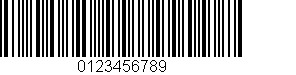 | varchar |
| CODE 11 | Digits 0–9 and the dash character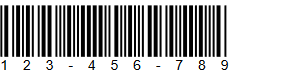 | decimal |
| CODE 128 (default) | Code 128 is a high-density linear barcode symbology for alphanumeric or numeric-only barcodes. It can encode all 128 ASCII characters. It generally results in more compact barcodes than other methods like Code 39, especially when the texts contain mostly digits.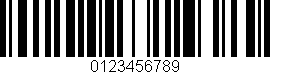 | varchar |
| CODE 128 A | Code 128A - upper case, numbers, punctuation and control characters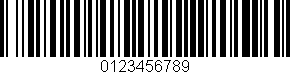 | varchar |
| CODE 128 B | Code 128B - upper and lower case, numbers and punctuation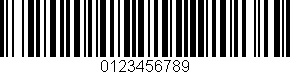 | varchar |
| CODE 128 C | Code 128C - numbers only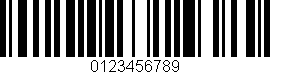 | decimal |
| CODE 39 | Code 3 of 9 (also called Code 39) - numbers, upper case, and - . * $ / + %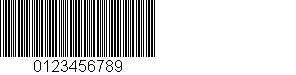 | varchar |
| CODE 39 EXTENDED | Extended 3 of 9 (also called Extended Code 39) - full ASCII character set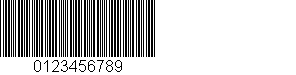 | varchar |
| CODE 93 | Code 93 - numbers, upper case, and - . * $ / + %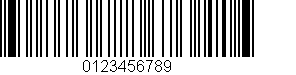 | varchar |
| EAN-13 | 13-Digits UPC-Based Extension - numbers only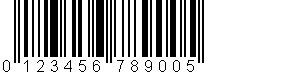 | decimal |
| EAN-2 | 2-Digits UPC-Based Extension - numbers only | decimal |
| EAN-5 | 5-Digits UPC-Based Extension - numbers only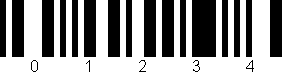 | decimal |
| EAN-8 | 8-Digits UPC-Based Extension - numbers only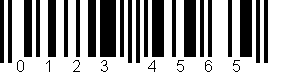 | decimal |
| Interleaved 2 of 5 | Interleaved 2 of 5 - numbers only | decimal |
| MSI | Variation of Plessey code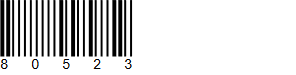 | decimal |
| PHARMACODE | Pharmaceutical Binary Code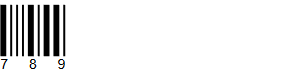 | decimal |
| PHARMACODE TWO-TRACKS | Pharmaceutical Binary Code - 2 Tracks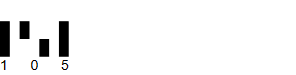 | decimal |
| PLANET | The Postal Alpha Numeric Encoding Technique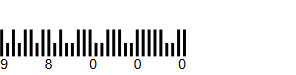 | decimal |
| POSTNET | Postal Numeric Encoding Technique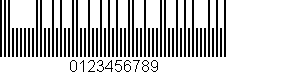 | decimal |
| RMS4CC | Royal Mail 4-state Customer Code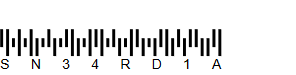 | varchar |
| Standard 2 of 5 | 2 of 5 - numbers only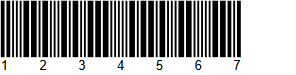 | decimal |
| UPC-A | UPC-A - numbers only (11 numbers and a check digit)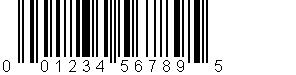 | decimal |
| UPC-E | UPC-E - numbers only - used for zero-compression UPC symbols. | decimal |