Connexion
 IDpack - Changelog
We continually improve IDpack with bug fixes and enhancements. Below are highlights of our most significant updates, including new features and improvements. Follow us on LinkedIn for the latest news and product updates.
Feature availability depends on your selected plan. Additional token costs and fees may apply. Certain features are available upon request and at our discretion.
Release History
4.1.0 Mise à jour majeure
October 04, 2026
- New: Modernized the design image management system for better performance and reliability.
- Fix: A round of polish focused on speed, stability, and overall reliability.
4.0.36
May 02, 2026
- Update: Improved security validation for expired plans.
- Update: Updated documentation for several sections of the Designer module.
- Fix: Small fixes and optimizations to improve reliability and performance.
4.0.34
April 26, 2026
- New: Added Two-Factor Authentication (2FA) at no additional cost for IDpack Business, Professional, and Enterprise plans.
- Update: Increased and expanded French interface translation coverage.
- Update: Improved the User Manager interface and overall user experience.
- Fix: Resolved minor issues and enhanced system performance and stability.
4.0.30
April 01, 2026
- Info: After 6 years of offering IDpack Starter as a free plan, we are discontinuing it on July 1, 2026. After this date, an active paid subscription will be required to continue using IDpack.
4.0.28
March 26, 2026
- New: Added domain-level security for the Partner API to ensure only authorized partner domains can access it.
- New: Added a new Partner API tab to the Partner Manager for easier access to API configuration.
- Update: Updated the Activation Code Manager and Customer Manager interfaces in the Partner module.
- New: Added a new Partner Widget allowing partners to create Activation Codes with a single line of code.
- New: Added a new IDpack Partner API allowing partners to create Activation Codes directly from their system.
- Fix: Addressed minor bugs and optimized system performance for a smoother experience.
4.0.26
March 21, 2026
- New: Introduced Activation Code–based account creation, available through Authorized Partners, Customer Invitations, or Evaluation Requests.
- Update: Revamped the Activation Code Manager in the Partner module to support the new activation code workflow.
- Update: Increased French interface translation coverage from approximately 90% to 95%.
- Update: Fixed minor issues and improved overall stability.
- Fix: Fixed issues in the IDpack API engine.
4.0.18
March 08, 2026
- New: Launched the French version of the IDpack website.
- Update: Increased French interface translation coverage from approximately 20% to 90%.
- New: Added the "Add Access to a Project" option when editing an API User.
- Update: Fixed a broken link to the Print Center documentation.
- Update: Fixed drag-and-drop behavior in the Design Editor object list.
- Update: Various minor fixes and improvements to overall stability and performance.
4.0.12
February 25, 2026
- Update: Improved grayscale conversion for UV panel printing.
- Fix: Improved reliability of the "Open in Producer" button in Designer.
4.0.11 Mise à jour majeure
February 21, 2026
- New: Added UV Panel Printing support for Fargo HDP5000 and HDP6600 printers.
- Update: Improved project access management in the API User module.
- Update: Updated core third-party libraries.
- New: Added Advanced Print Settings section in Designer - Edit Project.
- Fix: Fixed an issue when creating a new project from an IDpack template in Designer.
- Update: Improved Designer - Design Editor menu layout and toolbar display behavior.
- New: Added default background image option for Color Codes.
- New: Added support for background images per Color Code in Designer.
- New: Added Gamma adjustment setting to the IDpack Print Engine.
- New: Added Data Matrix format support to the QR Code object.
- New: Added Rasterize PDF option in Designer for the IDpack Print Engine.
- Update: Renamed Print Queue to Print Center and updated related request labels.
- New: Added oval face guide overlay to Photo ID capture.
- Update: User interface improvements and text label corrections.
- Update: Fixed minor issues and improved overall stability.
4.0.5
February 10, 2026
- Update: Redesigned the front/back template selection interface
- Update: Resolved a few minor issues.
4.0.1
February 05, 2026
- New: Designer: Added dynamic front/back image backgrounds in the Color Code tab.
- Update: Designer: Restored the Clone Project feature.
- Update: Fixed a few minor bugs and edge cases.
4.0.0 Mise à jour majeure
February 01, 2026
- New: Template Editor and Project Manager are now combined into a single module called Designer, bringing everything together in one place.
- Update: The Dashboard has been reorganized (again) to better align with the structure of other modules.
- New: The Print Engine has been optimized to support multi-page output beyond the traditional front/back layout, enabling upcoming features.
- Update: Report: The Activity Log Export feature was rewritten to improve result integrity and data consistency.
- Info: Major code and SQL optimizations make this version of IDpack significantly faster.
- Update: A major round of bug fixes and script library updates to ensure a smoother, more reliable experience in IDpack v4.
- New: Editor: Added support for Image Tool with Image Filter.
- New: Editor: Added checkbox input type to the Dynamic Text Tool.
- Fix: Editor: Fixed margins for the Text Tool when using HTML.
- Update: Editor: Set CODE 128 as default barcode symbology. Editor: Set CODE 128 as the default barcode symbology.
- Fix: Editor: Fixed Signature horizontal alignment.
- New: Editor: Added background color support to Barcode objects.
- New: Editor: Updated the Image Tool. The "Logo" option has been removed as it was no longer useful.
- New: Designs can now include multiple QR Code types on a single badge.
- New: Added a new Checkpoint role to allow access only to IDpack Checkpoint with project authorization.
- New: Added Import Record status support (active, inactive, trash).
3.6.1
September 24, 2025
- Update: Updated the Documentation.
- New: Added support for IPv6 addresses alongside IPv4.
3.6.0 Mise à jour majeure
July 27, 2025
- Update: Dashboard has been reorganized to better match the structure of the other sections.
- Update: Project access in User Manager is now added per user, making it much faster for accounts with hundreds of projects.
- Update: Updated IDpack Checkpoint and IDpack API to the latest version.
- New: Producer can now connect directly to your AWS RDS (MySQL) database and S3 bucket, allowing you to store all cardholder records in your own infrastructure.
- Update: Fixed a bug in IDpack Checkpoint that caused an error when printing a badge design without first name and last name fields.
- Info: We reorganized the behind-the-scenes structure of IDpack to make it easier to maintain and improve going forward.
- Update: More content has been translated into French for our French-speaking users.
- Update: Fixed the language selector on the homepage. You can now switch between English and French before logging in.
- Update: Updated the top bar: user thumbnail moved to the dropdown, and SVG icons are now embedded for faster loading.
- Update: Improved speed with optimized code and SQL queries, making the overall experience smoother and more responsive.
- Update: Updated the Producer icon to match the upcoming Designer section.
- New: Added a new Developer role in the User Manager that gives access to Template Editor, Project Manager, Producer, Developer, and Report sections.
- Update: Replaced the graph engine in IDpack Analytics and Reports with a modern, more flexible charting library.
- Update: Squashed some bugs that were sneaking around.
3.5.15
April 27, 2025
- Update: Fixed two bugs in User Manager with the Projects User Privileges.
3.5.11
April 19, 2025
- Update: Minor adjustment to the Project Manager regarding the badge preview.
3.5.10
April 13, 2025
- Update: Updated the IDpack Print Engine to 8.3 with more SPEEeeeddd.
- New: You can now add a Grade field for schools. Use the drop-down option in the template designer to create predefined selections such as 9th - Freshman, 10th - Sophomore, 11th - Junior, 12th - Senior.
- Update: Fixed bugs.
3.5.9
April 09, 2025
- Info: Upgraded IDpack infrastructure to Cloudflare Pro for improved performance and enhanced security.
3.5.2
March 27, 2025
- Update: Another wave of minor bugs wandered in. Gently squashed for a smoother ride!
3.5.1
March 26, 2025
- New: Added a smart email verification system that flags disposable and public email domains during account creation, marking them for manual review to ensure account quality and security.
- Update: We chased down a few bugs and showed them the door.
3.5.0 Mise à jour majeure
March 23, 2025
- New: IDpack now uses Amazon SES for sending emails, ensuring reliable delivery and keeping messages out of spam folders.
- Update: Updated core script libraries and resolved minor issues to improve overall system reliability and maintain peak performance.
- Update: Upgraded PHP Server to 8.3 – IDpack now runs smoother and faster with improved performance, security, and compatibility.
- New: IDpack stores cardholder records in a database located in the USA by default. However, you now have the option to store them in Canada, with Europe coming soon. To switch your database location, please contact us. This option is available for Business, Professional, and Enterprise plans only. Additional fees apply.
- Info: IDpack is now the official name of IDpack Cloud! When we launched five years ago, "Cloud" helped distinguish it from IDpack for Windows, but it's no longer needed today. We're returning to the name we've trusted for 25 years.
3.2.44
February 02, 2025
- Update: In Project Manager-> QR Code Setup, we redesigned the IDpack Checkpoint - Preview to match.
- Update: In Project Manager, we renamed Mobile App Setup to QR Code Setup for greater accuracy.
- Update: We've dedicated an additional 40+ hours to completing our documentation, filling in missing sections, enhancing clarity, and ensuring consistency for a comprehensive and user-friendly experience.
3.2.40
January 26, 2025
- Update: More sections have been translated into French for our French-speaking users.
- Update: If you're locked out of your account, resetting your password will restore access.
3.2.31
January 25, 2025
- Update: We've begun refreshing our documentation, adding missing sections, and have already invested 50+ hours, with more to come.
- Update: Updated Partner module - Customer Manager and Activation Code to add Invoice # and Customer's information.
- Update: Added Organization ID in Profile; it's easier to remember than 7fa0e665-aa80-4152-a3ee-4268d192d308.
- Update: We've zapped minor bugs.
3.2.30
January 21, 2025
- Info: The new IDpack Cloud | PRICE BOOK | 2025 is available in the Partner module and will take effect on February 1, 2025.
- Update: Dashboard - Upgrade your plan. You can now obtain an activation code through a URL using the email template supplied by the Partner - Activation Code Manager.
- New: Partner module - Customer Manager now has more information and is easier to use.
- New: Partner module - Activation Code now with an email template.
- Update: Updated Partner module - Activation Code with more flexibility and easier inventory management.
- Update: We've squashed minor bugs and refreshed script libraries to keep things running smoothly!
3.2.28
January 19, 2025
- Update: User Manager has been updated with more validation checkups.
- Update: User Privilege in User Manager has been updated and is much faster.
- Update: We updated a database field to be more standard.
- New: From the Project Manager, you can now enable or disable the visibility of the ID Number column in Producer.
- Update: Minor bugs were eliminated, and script libraries were updated.
3.2.26
January 05, 2025
- New: IDpack Checkpoint App: QR code scanning, badge validation, and efficient check-in/check-out management. https://checkpoint.idpack.cloud/
- New: Check In/Check Out: Easily set and track the check-in/check-out status for individual records.
- Update: Switched the AI from Azure (which is discontinuing the service) to Picsart.
- Update: Updated IDpack API to send the Check-In/Check-Out status.
- Update: Updated the COOKIE system to sync logins. Logging into IDpack Cloud also logs you into IDpack Checkpoint.
- Update: We renamed "IDpack Cloud - API" to "IDpack API"
3.2.15
January 01, 2025
- Info: Happy New Year! Get ready—2025 is bringing an exciting wave of new features your way!
3.2.10
December 15, 2024
- New: New Report Module with Activity Log and export feature.
- Update: We renamed Badge Producer to Producer, as it used to be, because IDpack Cloud prints more than badges.
- Update: Token Log moved to Report Module
- Update: We changed the IDpack Cloud structure. It's mostly internal.
- Update: Bugs were smashed, and script libraries were updated.
3.2.0 Mise à jour majeure
December 08, 2024
- Update: Enhanced changelog page with dynamic updates (this page)
- New: Dynamic vCards: Effortlessly share contact information from your ID card or badge by scanning a QR code.
- Update: Revamped Camera Capture System: Completely redesigned for improved performance and ease of use.
- Update: Updated chat to Zoho SalesIQ, a leader in customer engagement and live chat solutions.
- New: Fingerprint Reader Module: Seamlessly capture fingerprints with the HID DigitalPersona 4500, now in Tools.
- New: New QR Code App: Instantly scan and decode QR codes reliably with our dedicated app.
- Update: More sections have been translated into French for our French-speaking users.
- Update: Updated the Tools UI to make it clearer and easier to use — check it out!
- Update: Changed the UI in Project Manager for better supports mobile devices (iPhone, Android)
- Update: Fix the UI in many places for better support of mobile phone.
- Update: Updated many functions in the code using AI for faster responses.
- Fix: Minor bugs, script libraries updated, and labels fixed.
3.1.18
November 11, 2024
- Update: Moved DNS and domain to Cloudflare for stronger security, firewall, and DDoS protection.
3.1.9
October 25, 2024
- New: IDpack Cloud now supports photo printers for versatile badge printing, including popular sizes like 4x6, 4x2, 4x4, and 3x2.
- New: IDpack Cloud now supports wristband printers, enabling versatile 1x10 sports event bracelet printing.
- Update: The IDC Print Engine has been updated to support multiple formats.
- Update: Template Designer has been updated to support all printer formats, with the CR80 ID card still the most popular.
- Info: It may not seem like much, but supporting different formats was a significant breakthrough for IDC.
3.1.0 Mise à jour majeure
September 23, 2024
- Fix: UI adjustment and updated icons.
- Fix: Minor bugs, script libraries updated, and labels fixed.
- Update: Project Manager: Choose a background color when removing the Photo ID Background with AI.
- Update: Project Manager: Automatic badge format for the back template.
- New: Template Designer: Automatic vCard with the QR Code tool.
- Fix: Template Designer: Barcode Symbology with more choices.
3.0.0 Mise à jour majeure
July 09, 2024
- Info: New version: IDpack Cloud v3
- New: Template Designer: New Project List Tab.
- Fix: Minor bugs, script libraries updated, and labels fixed.
- New: Template Designer is now open to everyone!
- New: Template Designer: vCard field can be assign to a QR Code.
- New: Template Designer: New Fields Definition Tab.
- New: Template Designer: New Properties Setup.
- New: Template Designer: New UI.
2.4.0 Mise à jour majeure
April 25, 2024
- New: IDpack Cloud with AI – Remove Photo ID Background with AI – 20 tokens/each.
- New: Badge Producer: Auto-Save record.
- New: Developer module -> Token Logs to see precisely where each token is spent.
- New: Developer module gets two IDC Analytics graphs.
- New: Developer webhook gets eight new events to listen to.
- New: Profile Picture includes background removal with AI.
- New: A new Tokens System replaces the API Queries. Tokens work with APIs, Webhooks, AI removal backgrounds, QR Code email systems, Notification systems, and SMS. The token cost per action varies: API, Webhook, QR Code Email systems, Notification systems are two tokens, AI background removal is 20 tokens, and SMS is three tokens.
- Update: Project Manager -> Edit Project gets a revised interface.
- Update: Badge Producer: The page no longer reloads when saving a record and is much faster.
- Update: Badge Producer new date picker.
- Update: Our Privacy Policy has been updated.
- Update: More sections have been translated into French for our French-speaking users.
- Fix: Minor bugs, script libraries updated, and labels fixed.
2.3.5
April 06, 2024
- Update: Even more code optimization for the IDC Print Engine; badges are now built under 1s!!!
2.3.2
April 04, 2024
- Update: Significant code optimization in the IDC Print Engine; it is now running 3x faster!
- Fix: Minor bugs fixed.
- Update: Updated Mobile App Setup screen in the Project Designer.
- Update: Smoother transition between Outline -> Preview in Template Designer - Layout.
2.3.0 Mise à jour majeure
March 31, 2024
- Update: More sections has been translated into French for our French-speaking users.
- Update: The Cookie Banner has been removed. IDpack Cloud no longer uses cookies except for Login and Language purposes, which are CCPA and GDPR compliant. There is no more tracking using Google Analytics.
- Update: In Project Manager, IDC QR Code Setup has been renamed to: Mobile App Setup.
- Fix: Minor bugs, scripts libraries updated, and labels fixed.
- Update: API Query has been renamed to: Token. Tokens work with APIs, Webhooks, QR Code email systems, Notification systems, and SMS.
- Update: Our IDC Print Engine has been updated.
- Update: URL for Project Manager, User Manager, Template Designer, and Partners has been changed to reflect their new names.
- Update: The module Users has been renamed to: User Manager.
- Update: In Project Manager, Color Coding has been moved to Edit Project tab.
2.2.3
March 25, 2024
- Update: The module Project Designer has been renamed Project Manager
- Update: The module Template Builder has been renamed Template Designer
- Fix: Minor bugs and labels fixed.
2.2.2
March 20, 2024
- New: Module Developers: Webhook Logs is now available, a very useful tool for debugging your payload and response from your server.
- Fix: Stability improvements and bug fixes.
- Update: More sections has been translated into French for our French-speaking users.
2.2.1
March 19, 2024
- New: Module Profile: Now you can enable/disable the Chat/Message Agent at the bottom right. This will speed up the application if you don't need it.
2.2.0 Mise à jour majeure
March 18, 2024
- Fix: Minor bug fixed.
- New: New module, Developers for IDC Professional and IDC Enterprise, has been added, including APIs and Webhooks.
- Update: The labels of all tabs of all modules have been standardized with the name and ID moved to the page title.
2.1.8
March 02, 2024
- New: IDC API: Added api_get_keys (default: 0) Set to 1 to get idc_key from record(s) and idc_project in the response.
- Update: The Contactless Type won't show up if the field is empty.
2.1.6
February 22, 2024
- New: Added RFID CSN (Card Serial Number) to API, Import/Export records.
2.1.5
February 13, 2024
- New: Three new Tools: Convert RGB color to HEX, GUID Generator, and Password Generator.
2.1.4
February 12, 2024
- New: Project Designer -> Front/Back Design, added prefix and suffix to Barcode encoding.
- New: The IDC Print Engine is upgraded to a Class to be called from all services (www, api, app).
2.1.3
February 08, 2024
- Fix: We're always making changes and improvements to IDpack Cloud.
- New: Print your badges from an iPhone directly to an Evolis (Zenius, Primacy, Primacy 2, Agilia, and Avansia) network-enabled card printer.
- New: Added categories to our Templates.
- New: IDC Print Engine now prints all images at 600 dpi if the printer selected in Project Designer supports 600 dpi.
2.1.1
February 03, 2024
- Info: The old IDpack for Windows website www.idpack.info is now redirected to the new location www.idpack.cloud.
2.1.0 Mise à jour majeure
January 28, 2024
- New: New Docs: Contactless Card Reader (RFID)
- Fix: Several bug fixes and usability improvements
- New: Added a new Field Definition: RFID Card Type, RFID CSN (Card Serial Number), and RFID JSON
- New: Two views added back to Producer: Medium Photo ID and Photo Lineup.
- New: Template Builder you can change a Image object to Invisible and won't be printed.
- New: Template Builder now has transparent background and filters with Photo ID.
- New: New Tool: Print Wi-Fi Card
- New: New Tool: Microsoft Store | IDpack Cloud
- New: New Tool: Database Fields List
- New: New Tool: Print Test Card
- New: New module added: Tools. Check it out now! More tools coming soon.
- New: IDpack Cloud v2.1 rolled out.
2.0.197
January 17, 2024
- New: IDpack Cloud is now available from the Microsoft Store
2.0.194
January 05, 2024
- Info: On January 5, IDC was down for the first time in 4 years due to an update on our server from our hosting provider. The update stopped the ability to process PNG images, and by trying to fix the issue, they caused more breakdowns, and we lost communication between our database and application. After 8 hours, the hosting company managed to bring everything back online. We are sorry for the inconvenience.
2.0.193
January 02, 2024
- New: New login system, with zero session variable, and zero third party cookies.
- Fix: The release contains few bug fixes
2.0.189
January 01, 2024
- Info: Happy New Year! So many new features coming for 2024!
- Fix: Fixed bugs
2.0.170
December 10, 2023
- New: Template Builder - Added Project List to see all projects using a template.
2.0.167
November 21, 2023
- New: Template Builder - Add Days to Date - Enter the number of days you want to add on to a date.
2.0.165
November 15, 2023
- New: Added a new Field Definition: Ship To.
- Fix: Bug fixes and performance improvements
2.0.164
November 09, 2023
- New: Added support for the new Evolis Agilia Retransfer Card Printer.
2.0.161
October 20, 2023
- New: Template Builder - Format (datetime) - You can format the Date and Time any way you want.
2.0.154 Mise à jour majeure
September 25, 2023
- Info: New version: IDpack Cloud v2
- New: We changed the name from IDpack in the Cloud to IDpack Cloud.
- New: New IDpack Cloud Logo and Icon.
1.23.188
July 07, 2023
- Fix: Pull-down menu in Designer -> Field Definition
- New: Can now select default value with pull-down menu in Designer -> Field Definition
1.22.171
June 20, 2023
- Update: We added navigation pages, search, and filters in the Project List section.
- Update: More sections has been translated into French for our French-speaking users.
1.22.164
June 13, 2023
- Update: Updated the Preview Badge in Producer, faster and more secure.
1.22.162
June 11, 2023
- Update: Put back all Trashed records in the (All) view. Less confusing.
- New: 25% of the Project Designer has been translated into French for our French-speaking users. More is coming.
- New: We added navigation pages, search, and filters in the Project Designer section.
- Update: We are continuing to update icons to the new design.
- Update: Standardized background color for shadows.
1.22.161
June 10, 2023
- Update: The dashboard has been translated into French for our French-speaking users.
1.22.160
June 09, 2023
- Update: The Producer "Search Records" input has been moved lower to follow the standard.
1.22.159
June 08, 2023
- New: We added navigation pages, search, and filters in the Template Builder section.
- Update: We are continuing to update icons to the new design: Template Builder has been updated.
1.22.158
June 07, 2023
- Fix: In Designer, ID Number Label is fixed and we added Prefix and Suffix.
- New: We added navigation pages, search, and filters in the Print Queue section.
- Update: We are continuing to update icons to the new design. There are so many icons.
1.22.157
June 06, 2023
- Update: Toolbar icons in Producer have been reorder in a more standard and logical way.
- Update: We are continuing to update icons to the new design: Designer and Producer has been updated.
1.22.152
June 01, 2023
- New: In Designer, ID Number Value can now be set Manual or Automatic (default). ID # must be Numeric and Unique.
- Update: We are continuing to update icons to the new design.
1.21.147
May 27, 2023
- New: We added navigation pages, search, and filters in the Users section.
- Update: We are continuing to update icons to the new design.
1.21.146
May 26, 2023
- Update: New icons are been deployed based on the IBM Carbon Design.
- Fix: Fixed the “Import Template”
- New: We are migrating IDC's design to the IBM Carbon Design System (https://carbondesignsystem.com/). Carbon is IBM’s open-source design system for products and digital experiences, and IDC will look like an IBM Application. Both designs will be available at first, you will be able to switch from the Legacy design to Carbon.
1.21.139
May 19, 2023
- New: Added two views in Producer: Medium Photo ID and Photo Lineup.
- Update: Changed how buttons get disabled in Producer. Looks much nicer.
1.21.135
May 15, 2023
- New: Added move to Inactive, Trash, and Delete Permanently bulk actions in Producer.
1.21.129
May 09, 2023
- New: Added Must be Log in to QR Code IDC App.
1.21.128
May 08, 2023
- New: Added Copy Records bulk action to another project in Producer.
1.21.122
May 01, 2023
- Update: Standardized the interface (color, button, link, text).
1.20.100
April 10, 2023
- Update: We standardized the color pallet of IDC.
1.19.76
March 17, 2023
- New: Added three IDC default fields: User Organization Name, User Organization Location, and User Organization Phone. These fields can be printed on the badge. Great for Visitor's Badges in a multi-location setup.
1.19.75
March 16, 2023
- Update: Database cleanup
- Update: IDC Libraries cleanup
1.19.73
March 14, 2023
- New: Export records (with filters) from one Project to another.
1.19.72
March 13, 2023
- New: Duplicate Project (with or without records) from Designer.
1.19.69
March 10, 2023
- New: IDC now includes an Open Source SDK for the API. The API is available with an IDC Professional or IDC Enterprise plan.
1.18.58
February 27, 2023
- New:API Reference are now available public online.
1.18.51 Mise à jour majeure
February 20, 2023
- New: Template Builder v2 rolled out.
- Update: IDC Professional went from $599.40 to $699, but we added the Template Builder module to the plan.
- Update: IDC Enterprise went from $1499.40 to $1299.
- Update: All prices rounded to .00
1.18.48
February 17, 2023
- Update: Builder is changed to Template Builder, Producer is changed to Badge Producer, and Designer is changed to Project Designer.
1.18.47
February 16, 2023
- Fix: Fixed bugs in the User module.
1.18.41
February 10, 2023
- New: Added support for DIV, SPAN, STYLE in Designer -> Front/Back Design -> Static Text with HTML.
1.17.31 Mise à jour majeure
January 31, 2023
- New: Added IDC Rest API - Available to IDC Professional and IDC Enterprise. This feature allows you to integrate IDC into your system.
1.17.11
January 11, 2023
- New: Added a manual renewal subscription button for subscriptions not set with auto-renew.
1.17.1
January 01, 2023
- Info: Happy New Year!
1.16.347
December 12, 2022
- New: Added a new type of QR Code: Linked Field. You can link a database field to a QR code.
1.16.344
December 10, 2022
- Update: We updated our Photo ID Capture and Import/Edit Photo ID to be compatible with the new version of PHP
1.16.340
December 06, 2022
- Update: We updated our Print Engine to be compatible with the new version of PHP
1.16.337
December 03, 2022
- Update: We migrated IDC into two new servers.
1.15.329
November 25, 2022
- Fix: Fixed the white box when printing landscape from Android Mobile.
1.15.322 Mise à jour majeure
November 18, 2022
- New: Added JivoChat to IDC
- New: Added the option to write a Private Note for each user.
1.15.316 Mise à jour majeure
November 12, 2022
- New: Started to migrate IDC to the IDC APP, ETA 3 weeks
1.15.311
November 07, 2022
- Fix: Producer and Designer-> Fixed a bug with administrator rights.
- Update: Partner -> Updated the IDC Partner - Products Documentation. See PDF in the Marketing Library.
1.14.298
October 25, 2022
- New: Builder-> Added an option to embed OTF fonts. It makes the file much bigger, but it's necessary. TTF fonts are better; avoid OTF fonts if possible.
1.14.283
October 10, 2022
- New: Producer -> Record Information now display camera resolution, ex: Live Camera - 4K
1.14.277
October 04, 2022
- Update: Added a max projects for IDC Starter.
- Fix: Fixed some CSS.
1.13.263
September 20, 2022
- Update: "Not logged in" now redirect to the log in page.
- Update: More work on the responsiveness with mobile phones and tablets.
- Update: Updated all Designer help topic in the Documentation.
- New: Start working on https://api.idpack.cloud/ an API tool for IDC Professional and IDC Enterprise..
1.13.262 Mise à jour majeure
September 19, 2022
- New: Top header and Menu are now responsive for Mobiles.
- New: Menu now display an OFF button to log off. Take less space and is easier to translate :)
- New: All fields can be inserted as a shortcode to construct complex paragraphs in Designer -> Static Text.
- Update: Producer -> Import\Edit Photo are now compatible with Mobiles.
- Update: "Print Preview" is now compatible with Mobiles.
1.13.256
September 13, 2022
- Update: "Print Preview" is now push as a Binary Blob to the browser. This is more secure and faster since there is no URL to access the Print Preview.
- Update: With "Print Preview" in memory, when clicking "Print Preview" a second time will display the "Print Preview" instantly.
1.13.252
September 09, 2022
- New: Started translating Designer, 10% done.
1.13.251
September 08, 2022
- New: Top header and Menu are now translated.
- Update: Producer is now translated at 98%, we are moving to a new section. The remaining 2% is barely displayed text.
1.13.248
September 05, 2022
- Update: Producer - Records List can now scroll (left-right) when width is larger than 1200px.
- Update: Producer is now translated at 95%
1.12.237 Mise à jour majeure
August 25, 2022
- New: We added Multi-Language support. We are currently supporting English and French, which will take some time to translate. We started with Producer and can change the language in your Profile.
1.12.234
August 22, 2022
- Update: The date picker in Producer is now popping up when clicking the Calendar Icon.
1.12.225
August 14, 2022
- New: New QR Code type added: WiFi QR Code, to print cards with QR Code that setup WiFi Automatically. Great for hotels, restaurants, and Airbnb.
1.12.220
August 08, 2022
- Update: More work on the responsive with mobile phones and tablets.
1.12.219
August 07, 2022
- New: Support Evolis Primacy 2 networking printer (Ethernet and Wifi) with Android mobiles and tablets.
- Fix: Fixed a *%#$%@ bug with iPhone capturing Photo ID. Fixed for good.
- Update: IDC is much more responsive with mobile phones and tablets.
- Update: Added a first layer white rectangle on the Print Preview to fix an issue with the Evolis Primacy 2 mobile driver.
- Update: Changed the contactless icon position in the Records List to make it more compact.
- Update: Updated the Import Records help topic in the Documentation.
1.11.212 Mise à jour majeure
July 31, 2022
- New: Added Contactless Card Reader (RFID) support for IDC Professional and IDC Enterprise.
- Fix: Fixed EPI Suite import file with concatenate field [Firstname&" "&Lastname].
- Update: Updated all IDC PDF files.
1.11.187
July 06, 2022
- Fix: Fixed "New User" when user already exist.
- Update: New "Message System" design.
1.10.164
June 13, 2022
- Update: Added bullets notification on the Menu bar. Need spaces for more features!
- Update: Dashboard CSS design enhancement.
1.10.160
June 09, 2022
- New: In "Producer", added "Filter by Print Queue" for customers with Enterprise plan.
- New: In "Producer", added "Batch Print to Queue" for customers with Enterprise plan.
1.9.151
May 31, 2022
- Update: In "Producer", changed the word "Duplicate" to "Clone". "Duplicate" was too long for the mobile screen!
- New: All modes for "Dual side printing" display in "Preview Design", "Designer", "Producer", and "Preview Card" correctly.
1.9.150
May 30, 2022
- Update: Electronic Signature can be added to any projects now (if available from your plan).
- New: Two new modes for "Dual side printing": "Blank Back" and "Duplicate Front to Back".
- Update: Added a "Not available with your current plan." in Designer when needed.
- Update: New looks for the blue buttons.
- New: Added a notification bullet to the "Print Queue".
- Update: Moved the "Border around the Photo ID" options from "Designer \ Producer Setup" to "Designer \ Front\Back Design".
1.9.146
May 26, 2022
- Update: Changed the "Designer \ New Project" with a custom "Preview Design".
1.9.145
May 25, 2022
- Fix: Fixed an issue in Producer when no field(s) are selected in "Designer \ Producer Setup".
- Update: Changed the tabs and toolbar design to support mobile users better.
- Update: Changed the list header background color for more contrast.
1.9.143
May 23, 2022
- Update: Import Records Documentation updated.
- Fix: timezones list are now pull from the PHP database.
- Update: Import Records from External Database now sends a JSON data block when connecting to the URL.
1.9.141
May 21, 2022
- New: Import Records from External Database now available with IDC Professional and IDC Enterprise.
1.9.139
May 19, 2022
- Fix: Fixed CSS for mobile phone.
- Fix: Fixed all IDC listing for Safari browser (Mac).
1.9.130
May 10, 2022
- Fix: timezone records are forced to UTC in database.
1.9.125
May 05, 2022
- New: Users filters are saved and kept until you reset them.
1.9.124
May 04, 2022
- New: Designer filters are saved and kept until you reset them.
- New: Producer -> Records List filters are saved and kept until you reset them.
- New: Designer -> Import Records from file (CSV or TXT).
- New: Three new filters in Producer -> Records List: Color Code, Photo ID, and Printed.
1.9.123
May 03, 2022
- Fix: User Setup: We now force lowercase for new user emails.
- Fix: User Setup: We fixed a bug when the password included weird characters (for new users).
1.9.122
May 02, 2022
- New: Set the timezone in Profile and Users to display times based on your location.
- Update: We updated all lists to support the timezone display.
- New: Filter by Color Code in the Producer: Records List
- Update: Documentation updated with new screenshots and texts
1.6.99 Mise à jour majeure
April 19, 2022
- New: IDC Enterprise can now import design directly from CartdStudio 2.0
1.8.90
April 10, 2022
- New: Delete Records Method in Designer: Erase Records (Instantly) or Trash\Delete Records
- Update: Front/Back Setup and now Front/Back Design
- New: Edit Photo ID after importing or capturing the picture to crop it. See it in action here.
- New: Added tooltips on the IDC toolbar and keyboard shortcut.
1.8.81
April 02, 2022
- New: Added double-sided preview in Producer Projects List if available.
- New: New language field available with a pull-down menu, listing all ISO/639-1 (2 letters country code)
- New: Added new keyboard shortcut (see documentation) and ESC key now close all modal windows in IDC.
- New: All Gallery Contents are now standardized (Producer, Templates, Partners, Manufacturers) with more straightforward navigation.
1.7.79
March 20, 2022
- New: The Rotate Back 180° feature requested by many for double-sided printers is finally available in Designer - Producer Setup.
- New: Added support for 4x6 cardstock. A great format for sports events and events that needs large cards.
- New: Added Background Image per Color Code in Designer.
- New: Import Photo ID from a ZIP file. This feature is available upon request only and at our discretion.
1.7.71
March 14, 2022
- New: Print Batch Preview is now available in Producer - Records List.
- New: Configure Border around Photo ID in Designer
1.7.60
March 03, 2022
- New: Results per page is now available in Producer - Records List.
1.6.58 Mise à jour majeure
February 28, 2022
- New: IDC Enterprise can now import design directly from EPI Suite 6.0
1.6.41
February 11, 2022
- New: We are now using SVG and WebP as the default displayed images. As a result, templates are showing way fast now!
1.5.8
January 08, 2022
- New: Print Preview is now popping-up directly in the Record Information.
1.4.0
January 01, 2022
- Info: Happy New Year!
1.3.327
November 23, 2021
- Fix: Print Preview for Edge and Firefox is now working like Chrome.
- New: Starter Plan are now unlimited time
1.3.196
July 15, 2021
- Update: New look to User Setup
- New: New View Preview privilege
1.3.181
June 30, 2021
- Update: New idc_menu_top systems with same look.
- New: Added a "Customer" role in User Setup.
- Update: Changed "My Team" for "Users" since this sections can be used for more than team members, like customers account.
1.3.179
June 28, 2021
- Update: Photo ID in Producer are no longer auto-saved. You have to save the records to apply changes.
- New: Added 10 new templates with Signature panel.
- New: IDC now supports Scriptel Signature Pads for all plans!
1.3.179
June 25, 2021
- New: New Operator's Driver permit card design.
1.3.172
June 14, 2021
- New: 2 new fields: Card verification value (CVV) and Driver's License
1.3.150
May 30, 2021
- Update: Major server Optimization, most content now distributed by our Content Delivery Network ("CDN")
- Update: Optimization in our Template Engine builder.
1.3.148 Mise à jour majeure
May 28, 2021
- New: Designer/Producer: Support for HTML code in Memo Text. Check Allow HTML in Front/Back Setup and start customizing.
- New: Designer/Producer: 5 New templates #122455, #122456, #122458, #122459, and #122460,
- Fix: Optimization
1.3.145
May 25, 2021
- New: Support: 5 new videos https://www.idpack.cloud/support/videos/
1.3.125
May 05, 2021
- New: Designer/Producer: New template #122454 for COVID-19 Test Certificate
- New: Designer/Producer: Name new fields to support the Vaccination Certificate and Test Certificate templates
1.3.124 Mise à jour majeure
May 04, 2021
- New: Designer/Producer: The new QR code App is now available. Select a template with a QR code and see the new tab in Designer for setup
- New: Designer/Producer: New template #122453 for COVID-19 Vaccination Certificate
- New: Support: New Support section
1.3.116
April 26, 2021
- Fix: Designer/Producer: Fixed 2D barcode with plan not allowed
- Update: Moved all videos to Youtube.
- New: Support: Added a videos support section https://www.idpack.cloud/support/videos/
1.3.105
April 15, 2021
- New: Designer/Producer: Added support for the Magicard Pronto100
1.3.96
April 07, 2021
- New: -Designer/Producer: 1 new template #122452
1.3.94 Mise à jour majeure
April 04, 2021
- New: Dashboard: IDC Analytics, with visual graph. We will add more options shortly.
1.3.88
March 30, 2021
- New: Designer/Producer: 2 new amazing templates #122448 and #122449
- New: Designer/Producer: Importation tool for external Photo ID. Contact us for more detail.
1.3.86
March 28, 2021
- New: Designer/Producer PDF: Added shortcodes for Texts object in the Front/Back Setup.
- Update: Updated documentation for Front/Back Setup.
1.3.84
March 26, 2021
- New: Designer: Full support to import records from IDpack 7, IDpack 8 and IDpack 9. We also wrote a 20 pages Guide.
1.3.79 Mise à jour majeure
March 21, 2021
- New: Designer: Front/Back Setup you can now add a background image to any templates!
- New: Designer: Front/Back Setup you can now change the color of all texts and dynamic texts!
- Update: Designer: Template pages is now using our CDN to load preview card, WAY MUCH FASTER!
- Update: Templates: SVG codes are now loaded from objects instead of design. IDC now works 100% with layers like Illustrator.
- Update: Designer: Color Code\Import, columns has been renamed to match IDpack for Windows
- Update: Designer: Color Code, default colors can now be empty (NULL) instead of FFFFFF to remove any confusion when not in use.
1.3.76
March 18, 2021
- Fix: Producer: Webcam Capture Photo ID on new records was not recorded correctly, it has been fixed.
- Fix: All: Importing images with UPPERCASE filename was causing issue detecting filetype, it has been fixed.
1.3.75
March 17, 2021
- Update: We created an Official IDC Color Palette to standardize all colors on IDC. We are currently applying it, it might take a few days.
- Update: Designer: Image/Logo upload system cleaned
1.3.74
March 16, 2021
- Update: Producer: Card project design are now in CDN, page load much faster.
- Update: Producer: (CSS and JS) code optimization
- Update: All: CSS minifying
1.3.73
March 15, 2021
- Update: Producer: Project List - Image optimization
- Update: Designer/Team/Profile: (CSS and JS) code optimization
1.3.72
March 14, 2021
- Update: Designer: Field Definition - Keep all fields when changing design, it's more logical and practical
- New: Optimization
- New: Designer: JS optimization
- Update: Designer: New icon for favorites projects, display icon in Project List
1.3.69
March 11, 2021
- Fix: Designer: Many issues in the Import Records
- Update: Designer: Added multiple select in the Field Definition
- New: Field RFID for OMNIKEY® 5427CK to save credentials such as iCLASS Seos®, iCLASS SE®, iCLASS®, MIFARE®, Indala Prox, and HID Prox.
- Fix: Designer: Bugs with the Front/Back Setup
- New: Designer: Added 17 new fields in the Fields Definition (85)
1.3.67
March 09, 2021
- New: Optimization
- New: Profile-Producer: New loading spinner (much faster)
- Update: Templates: Logo are now loaded from objects instead of project design.
- New: Click on Live Capture in Producer-Profile to capture a photo. (good for mobile)
- New: Added favorites projects in Designer-Producer for Dashboard shortcut
1.3.62
March 04, 2021
- Fix: Designer\Field Definition: Fixed drop-down menu index
- New: Designer-Producer: Added field Currency with drop-down
- New: Producer\Record Information: Added DateTime picker icon
1.3.0
January 01, 2021
- Info: Happy New Year!
1.2.95
April 02, 2020
- Update: Designer: Moved logo to Front/Back Setup, now you can change logos independently (two)
- New: Designer-Producer: QR code
1.2.94 Mise à jour majeure
March 04, 2020
- Info: Official release following 2 years of dedicated research and development
1.0.0
March 11, 2018
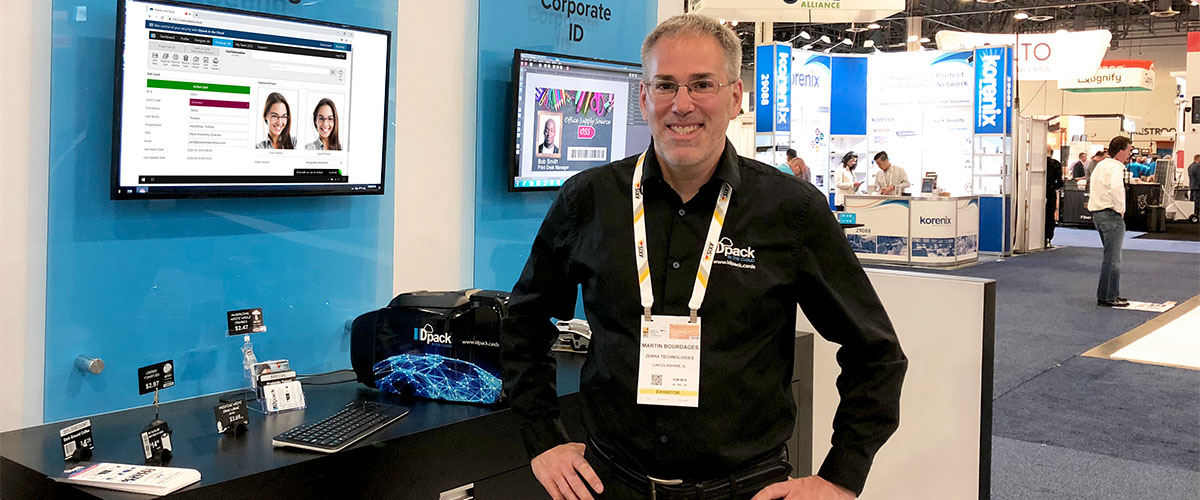
- Info: Initial Presentation at ISC West 2018 – Sands Expo Convention Center, Las Vegas, in partnership with Zebra Technologies.